Three Cameras, Three Ways to Compose
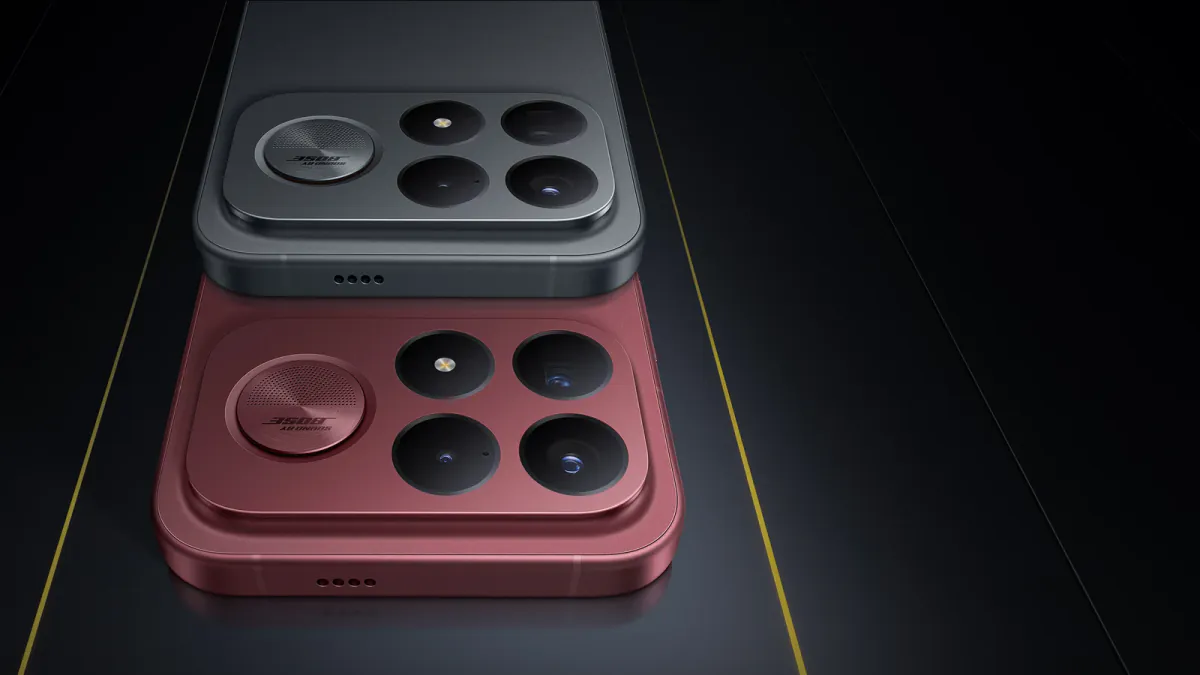
The Poco F9 Ultra puts a 200MP main camera beside a 50MP ultrawide and a 50MP periscope telephoto. For photographers, that combination opens two useful choices: how much of the scene to include and how much room to leave for a later crop.
The main camera provides the familiar wide view. The ultrawide reaches approximately 17mm equivalent, while the stabilized telephoto offers a 120mm-equivalent view. Those focal lengths describe a versatile set of framing options, from an interior with a strong foreground to a distant architectural detail.
Each view suggests a different starting point. With the ultrawide, place something purposeful near the camera and watch the edges for stretched faces or distracting objects. With the main camera, organize the relationship between the subject and its surroundings. With the telephoto, look for a smaller arrangement within the scene: a window, a gesture, or a meeting of shapes.
Changing focal length from one position changes the crop. Moving the camera changes perspective. Keeping those decisions separate makes the three-camera system easier to use deliberately.
Give the 200MP Mode a Specific Job
Xiaomi’s camera overview includes a dedicated 200MP capture mode alongside the phone's everyday shooting options. Its specifications also describe a 16-in-1 pixel-combining arrangement for the main camera. The headline sensor resolution and the dimensions of a saved photograph are therefore different parts of the imaging process.
Color-filter arrangements such as Quad Bayer help explain why high-resolution sensors can support different output modes. Grouping neighboring samples favors one kind of capture, while processing them for a larger output favors another. The useful choice begins with the photograph's destination.
A detailed facade in steady daylight is a sensible subject for comparing the dedicated high-resolution mode with the normal Photo setting. Make both frames from the same position, keep the phone steady, and compare the same intended crop. Look for actual separation in brickwork, lettering, or fine branches rather than simply a larger pixel count.
Then compare the complete images at the size you expect to share or print. Extra detail matters when it survives into that output. A file that looks impressive under extreme magnification may offer little advantage for a small screen image, while a careful crop for a larger print can make the additional information worthwhile.
What the Firsthand Review Shows
In her Amateur Photographer review , Amy Davies found the main camera strongest for detail. She reported good ultrawide results in favorable light and a softer 5x image that remained useful at ordinary phone-screen sizes.
Her findings also identify where to pay attention. Bright, strongly colored scenes could become overly vivid. The ultrawide weakened in low light, and very dark conditions could prompt the phone to use a crop from the main camera instead of the telephoto module.
That last behavior matters when judging a photograph. A 5x label describes the requested framing, but the software may choose a different route to produce it. When comparing files, inspect the recorded lens information where available and consider the lighting alongside the selected zoom setting.
Davies also found a separate Super Macro option rather than an automatic macro switch. Close-up work therefore benefits from learning the camera application's controls before the subject arrives. A small change in working distance or mode can be more useful than continuing to enlarge the live view.
Separate Native Reach From Processed Zoom
Xiaomi describes 10x as lossless zoom and advertises an AI-assisted extension beyond it. PetaPixel's launch coverage distinguishes those claims from the physical 5x periscope camera.
Treat the native telephoto as a reference frame. Make one photograph at 5x, then another at the longer setting. Compare both at the same final size, including a crop from the native capture. Watch fine textures and high-contrast edges, where processing can make detail look emphatic without preserving its shape convincingly.
The Newsroom's ShiftCam SuperZoom first look approaches long-lens smartphone framing through an accessory. Both routes reward the same photographic discipline: settle the composition, stabilize the camera, and judge the finished file.
Build a Short, Repeatable Comparison
Choose a scene with detail at several distances. A quiet street with a nearby sign, mid-distance planting, and a building beyond can reveal more about everyday use than a single distant subject.
- Photograph the scene with each native camera from the same position.
- Compare the normal main-camera output with the dedicated 200MP mode.
- Include a moving subject to see how each mode handles a gesture or passing figure.
- Repeat the framing as daylight falls, noting the lens information and exposure.
- Review the images together on a second display at a consistent output size.
Keep a brief note of the result you prefer and why. Perhaps the ultrawide gives the foreground the right presence, or the telephoto simplifies a busy scene. Those observations turn a specification sheet into a useful working understanding of the camera.
The phone's 8,050mAh battery and large 6.9-inch display provide the supporting hardware for shooting and reviewing. Its photographic value comes into focus through the files themselves: useful detail, coherent color, convincing texture, and a composition that makes the chosen focal length count.